 GS1 Assistant - Help Document
Understanding GTIN Status: What OK, Invalid, Unassigned, and Verified Mean
GS1 Assistant uses different statuses to show:
- whether a GTIN is assigned
- whether it’s valid
- whether there are issues that need attention
This guide explains what each status means and what action to take.
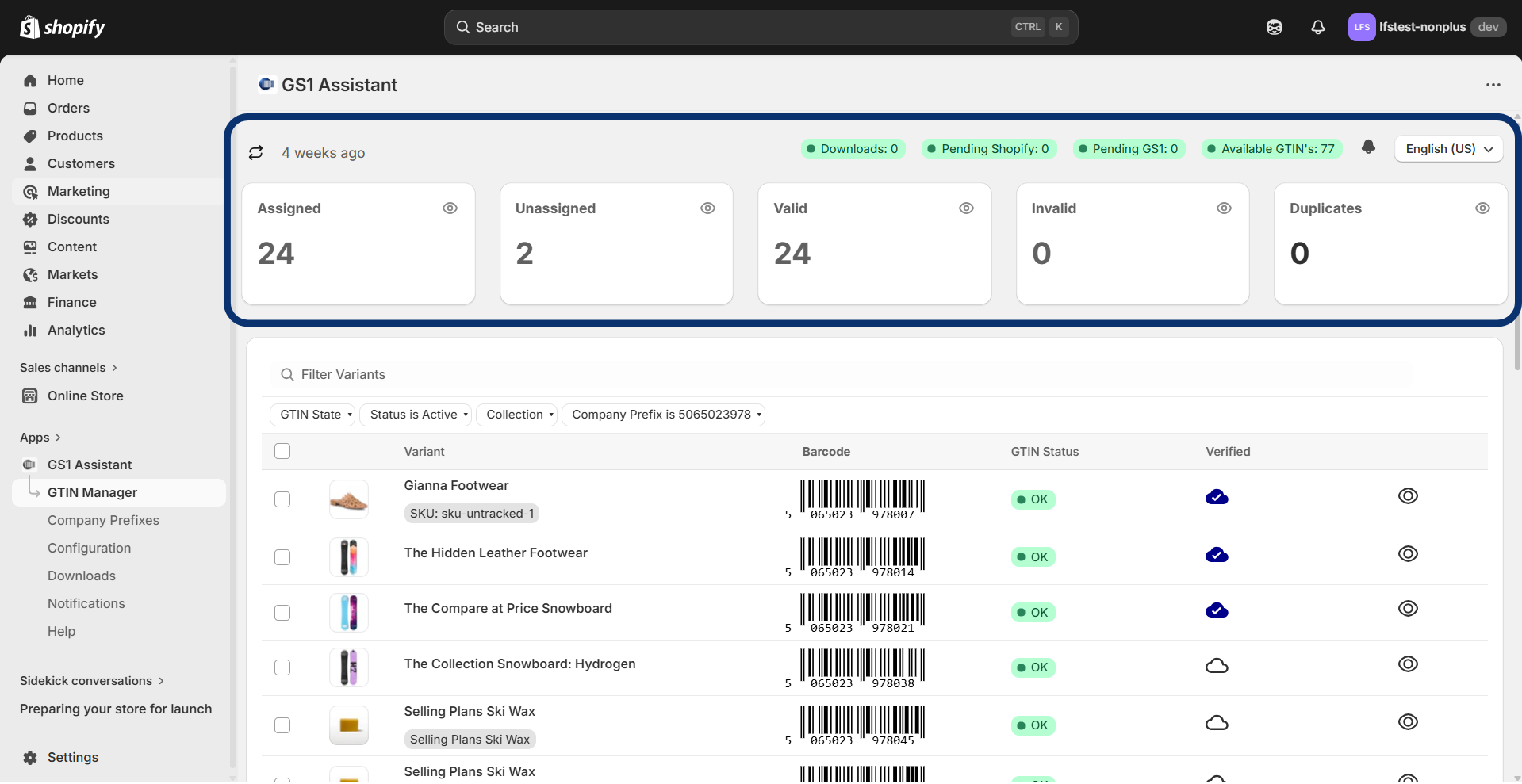

Note about Invalid
Invalid means the barcode value on the product is not a valid GTIN.
This is one of the most common statuses merchants see after installing the app.
In most cases, it does not mean there is a problem with your GS1 account.
Common causes include:
- barcode values imported from CSV files
- placeholder barcode numbers
- barcodes from third-party reseller websites
- incorrect barcode length
- failed check digits
To fix this:
- remove the invalid barcode
- assign a new GTIN from your GS1 prefix
Barcode Activity Statuses
These statuses appear at the top of the dashboard and describe the state of your GS1 company prefix block. It says how many GTINs are available and how many are at various stages of processing.

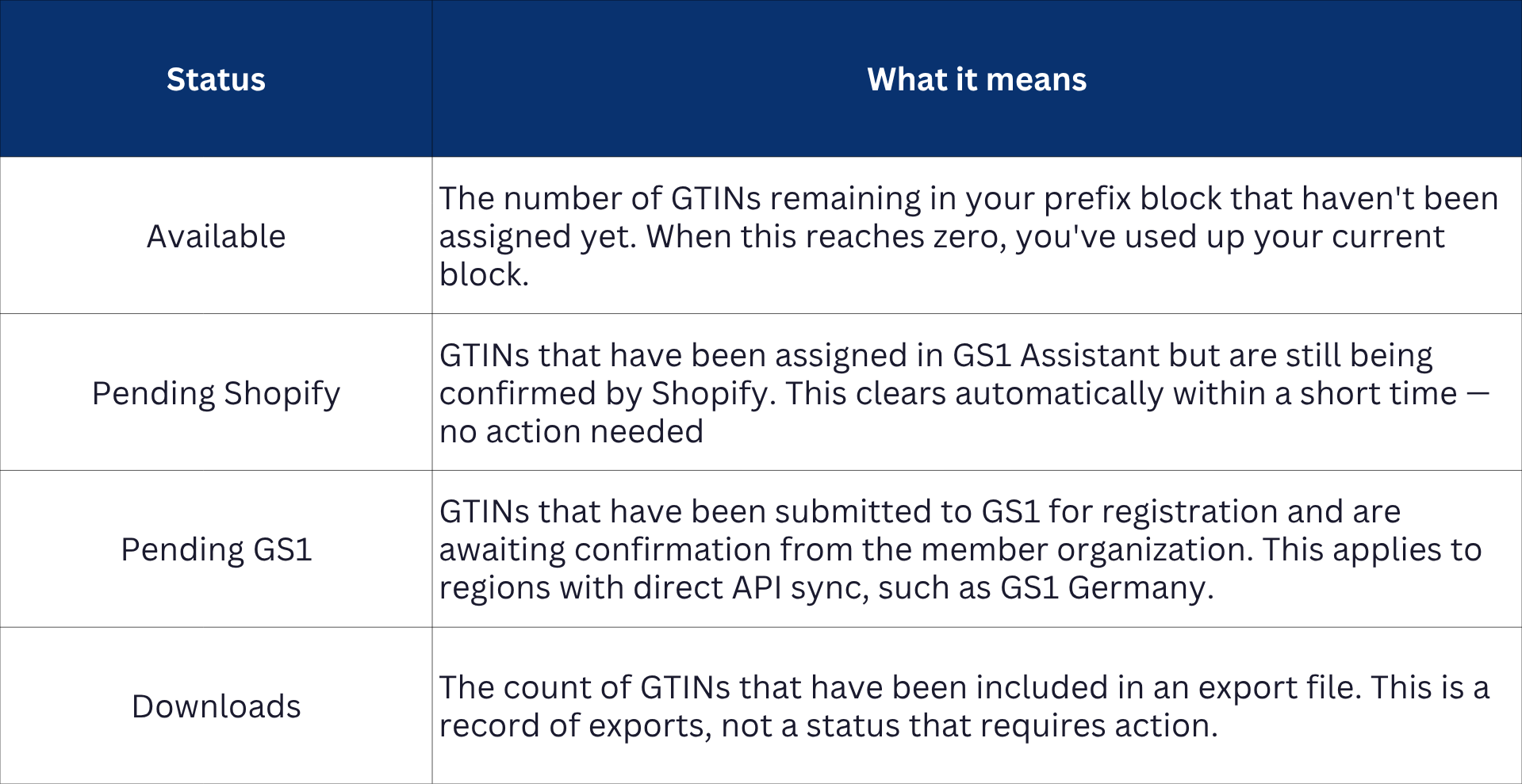
Note about Pending Statuses:
Both Pending Shopify and Pending GS1 clear on their own. If a status has been pending for more than 24 hours, use the manual Refresh button on the dashboard to force an update. If it still doesn't clear, contact support.
Product statuses
These statuses appear next to each product variant and describe the state of the GTIN assigned to it.
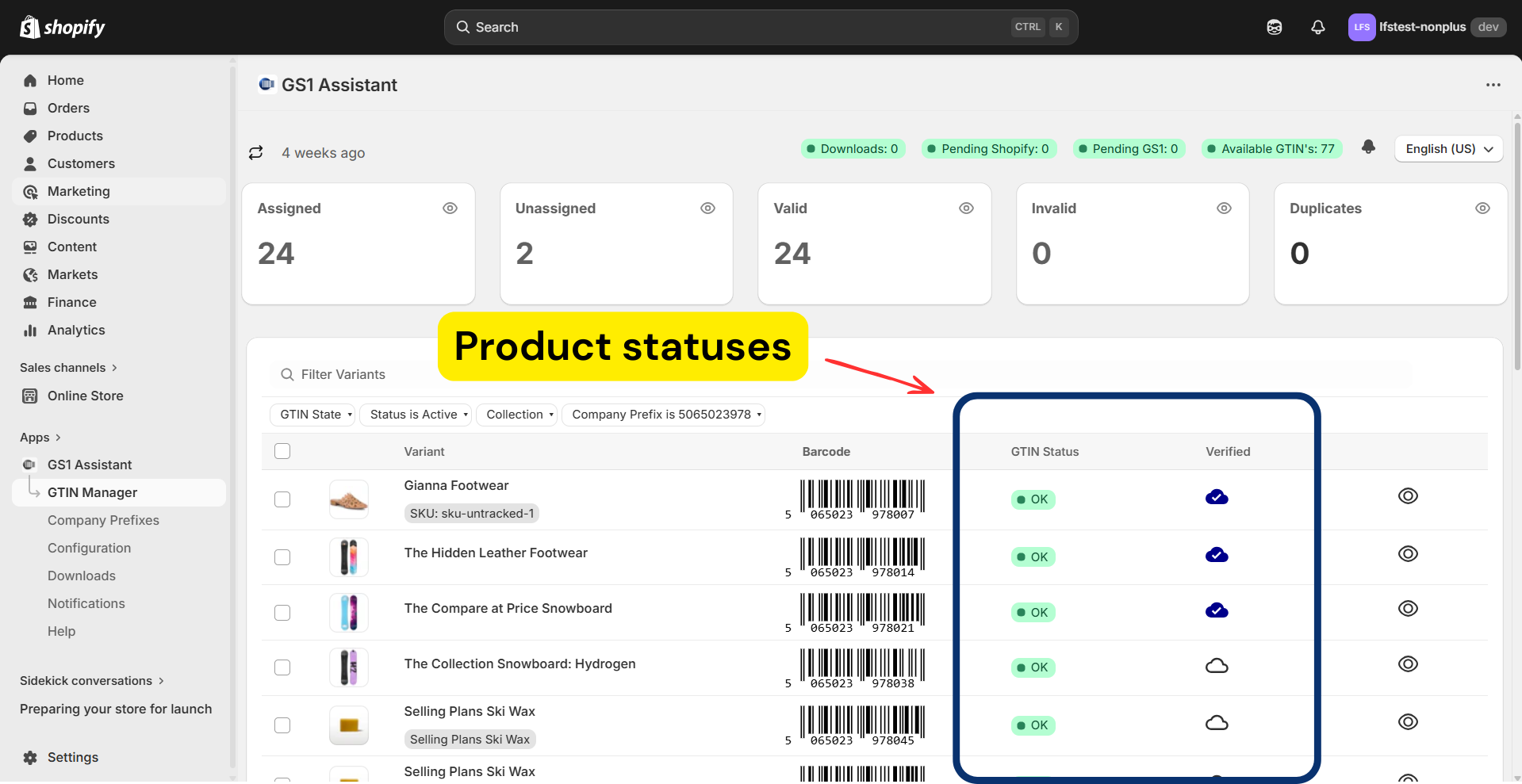
What does GTIN Status ‘OK’ and Verified mean?

Do I need ‘Verified by GS1’ to sell on Amazon?
Usually, no.
Most marketplaces mainly check:
- whether the GTIN is valid
- whether it belongs to a legitimate GS1 prefix
An OK status is usually enough for Amazon, Google Shopping, and Walmart listings.
Why many products may show Invalid after installation?
This is very common after first installing GS1 Assistant.
It usually means the products already had barcode values before the app was installed.
These values often come from:
- CSV imports
- other Shopify apps
- marketplace imports
- unofficial barcode resellers
GS1 Assistant flags these as Invalid because they:
- fail GTIN validation
- do not belong to your GS1 prefix
- or are not properly formatted
The solution is to replace them with GTINs from your own GS1 company prefix.